Make the Dynamics AX Role Center Your Outlook Home Page
Make the Dynamics AX Role Center Your Outlook Home Page
The Role Centers are web pages that you can run independently of the client, and are designed to give you a lightweight way to access most of the functions within Dynamics AX. Since they are just web pages then they can also be embedded in other applications that you may use all of the time, like Outlook, to give you another way to view the status of the organization.
This is a great way to let users that are not normally accessing Dynamics AX all of the time view the status of the organization, since they cannot avoid opening up Outlook.
How To Do It…
Access the Enterprise Portal through a web browser. The usual website address is:
http://servername/sites/DynamicsAx/Enterprise%20Portal/
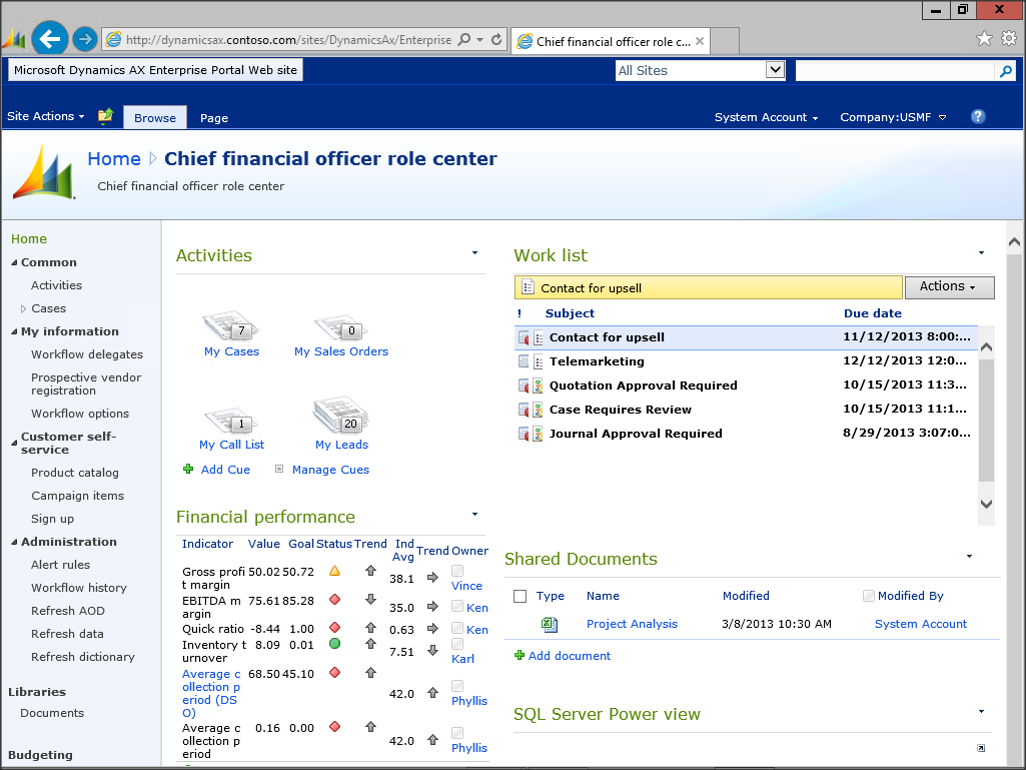
Note: When you open up the Enterprise Portal through the browser, you will get a little more information that you do when it is seen within the Dynamics AX client. You have a title bar along the top, and also a web menu bar on the left.
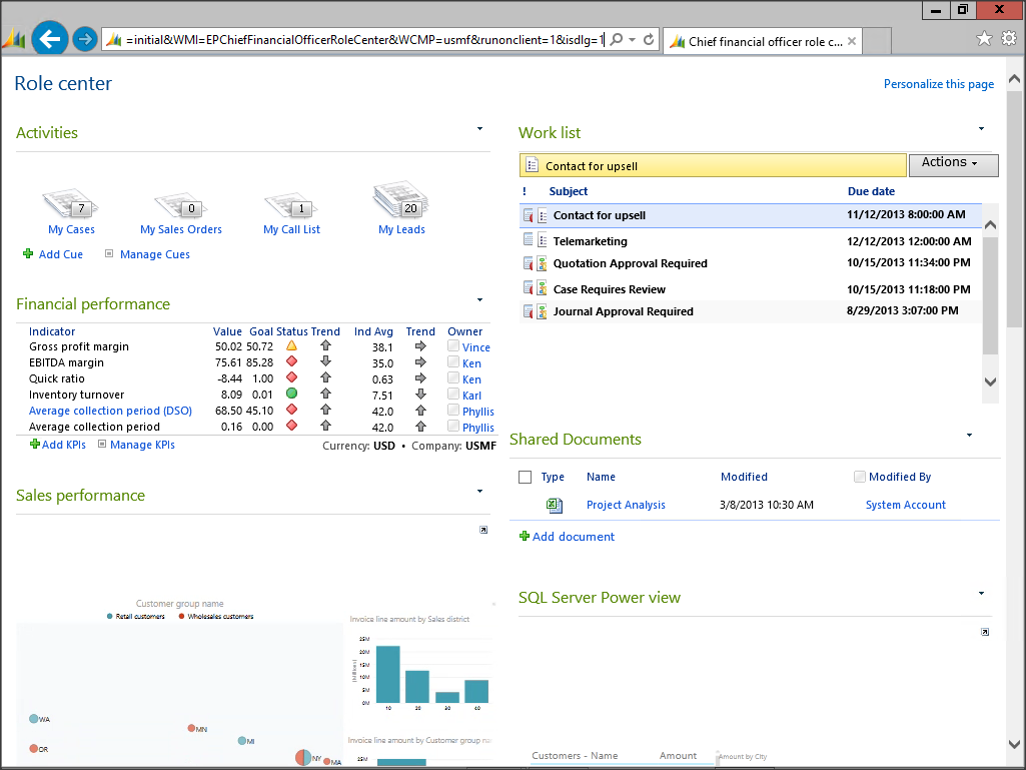
If you add the following two qualifiers to the end of the URL, then your Enterprise Portal will become a lot cleaner.
&runonclient=1&isdlg=1
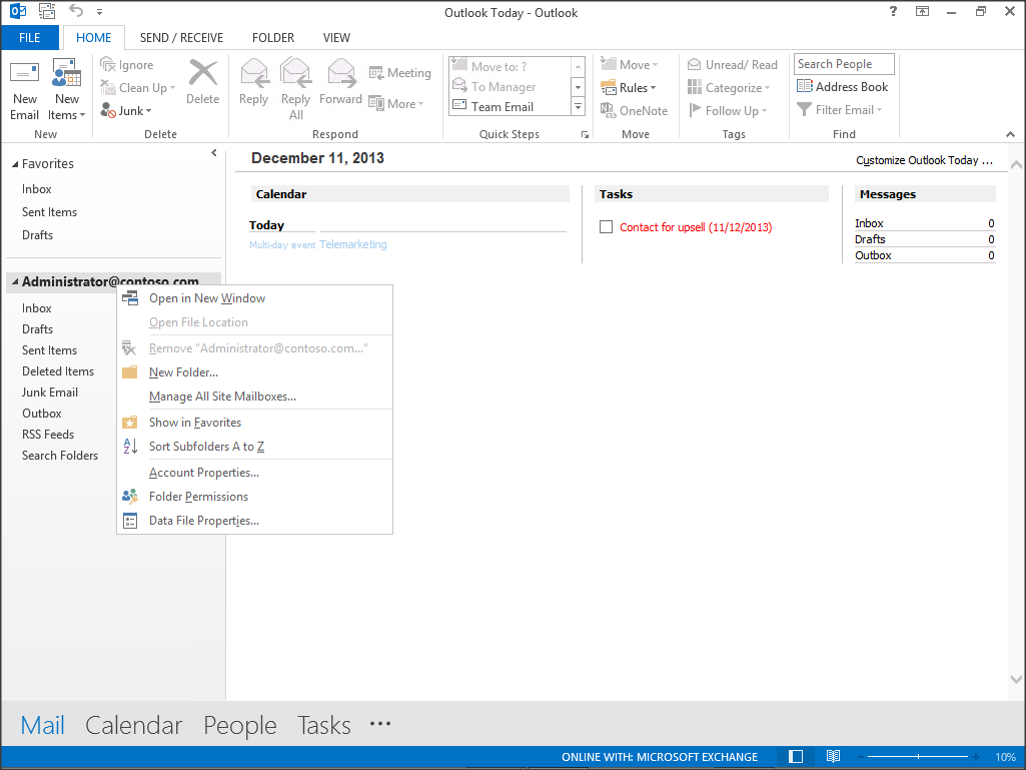
Now open up Outlook, and right-mouse-click on your account header and select the Data File Properties menu item.
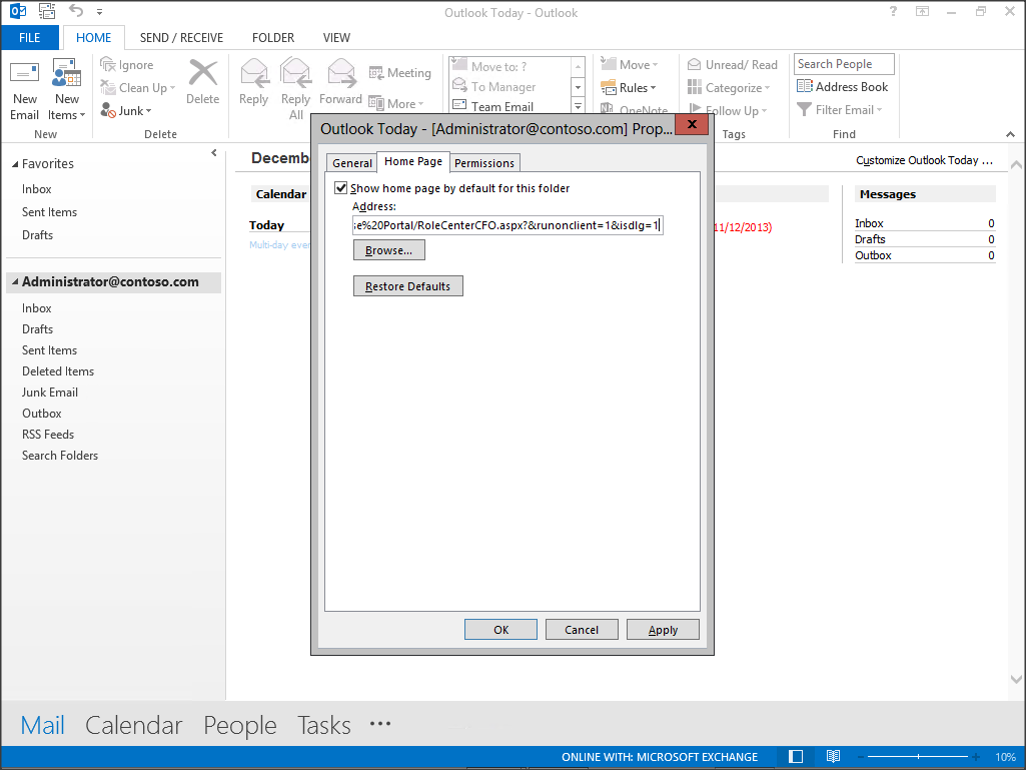
When the Data File Properties dialog box is displayed, click on the Home Page tab, and past the role center URL into the Address field. The format will look something like this:
http://servername/sites/DynamicsAx/Enterprise%20Portal/RoleCenterCFO.aspx?&runonclient=1&isdlg=1
How It Works…
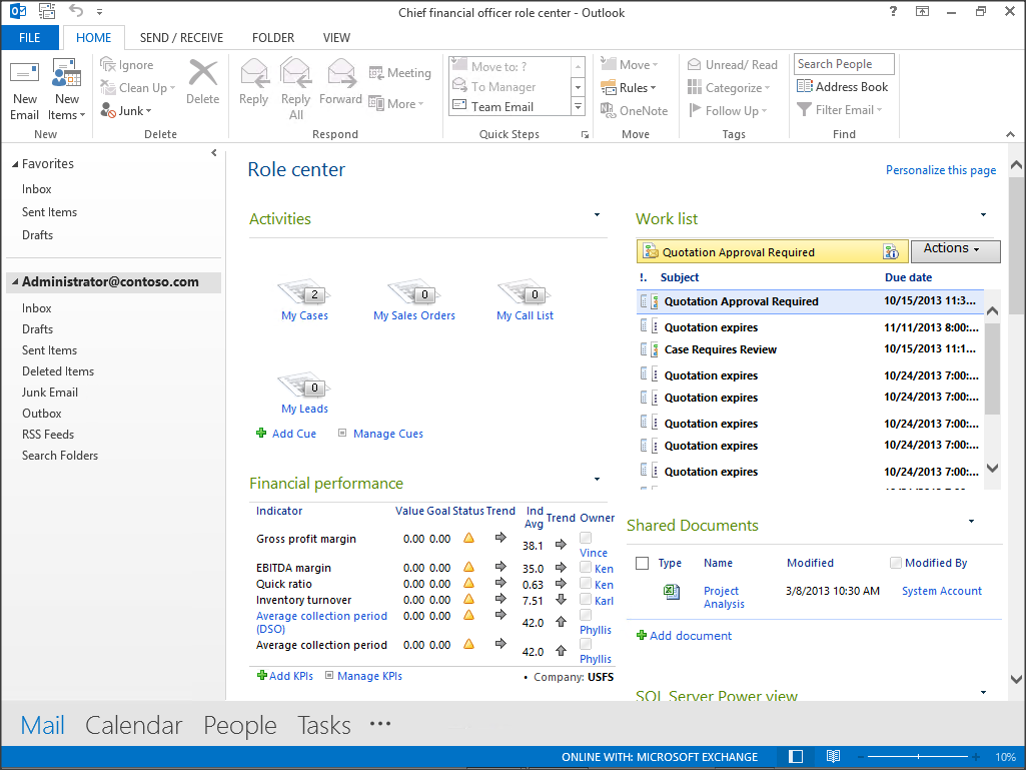
Now when you return to Outlook, you will see the Role Center as the Outlook home page.


Nice one, I like it very much….!
Isn’t that a amazing piece of information thanks for sharing!
Dynamics AX.
Not a problem Samuel, although more importantly… thanks for reading 🙂
Hurrah! Finally I got a webpage from where I can actually get helpful data concerning my study and knowledge.
Greetings! Very helpful advice in this particular article!
It is the littpe changes that make the most significant changes.
Thanks a lot for sharing!
Wow, incredible blog layout! How long have you been blogging
for? you made blogging look easy. The overall look of your website is great, let alone the content!
Jamaal, Thanks so much – I’m so glad that you like the site. I think that I’ve got blogging down to a science. As for the format – sometimes less is more when it comes to layouts 🙂 Murray.
It’s really a cool and helpful piece of information.
I’m satisfied that you simply shared this useful
info with us. Please stay us up to date like this.
Thank you for sharing.
Thanks so much for reading my blogs – great comments like this make me want to share more 🙂
When someone writes an piece of writing he/she retains the idea of a user in his/her brain that how a user can be aware of it.
Therefore that’s why this article is perfect. Thanks!
Thanks so much for the kind words 🙂
I must thank you for the efforts you have put in penning this website.
I’m hoping to see the same high-grade blog posts by you later on as well.
In truth, your creative writing abilities has inspired
me to get my very own website now 😉
I am so glad that I inspired you. Writing is now just a habit for me and I’m sure that it will for you 🙂